WhatsApp Business · UnifiedTalk
Turn WhatsApp into your growth & support channel
Broadcast and automate on official WhatsApp Business paths, run a real team inbox, and deploy AI agents for support and pipeline work — with explicit human handoff — without losing the rest of your stack. UnifiedTalk keeps WhatsApp in the same timeline as Facebook Messenger, website chat, SMS, and in-app messaging so revenue, marketing, and support finally agree on who said what.
Whether you prioritize marketing broadcasts, support deflection, or both — UnifiedTalk keeps WhatsApp on the same timeline as every other channel you run.
Why WhatsApp wins attention
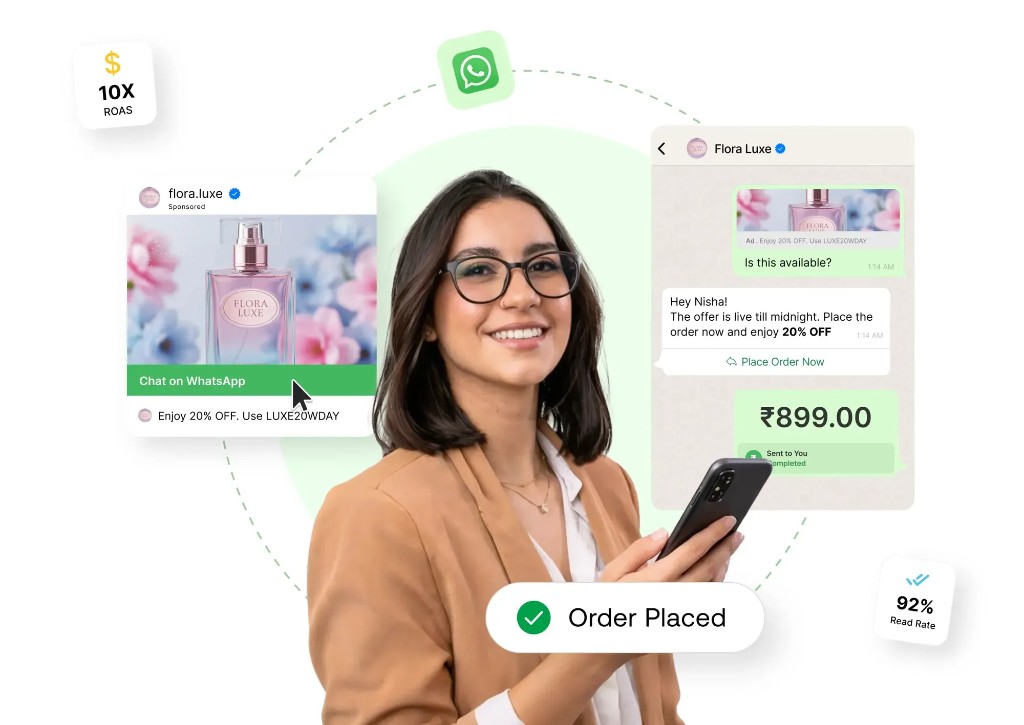
Messaging apps combine high intent with low friction. When paired with clear opt-in and Meta’s rules, WhatsApp becomes a lane for promos, reminders, and human support — not a replacement for email, but a complement that many buyers prefer.
Promotions that get opened
Share offers, carousels, and CTAs in a channel people check habitually — always within template and consent guidelines.
Faster replies, happier customers
Route chats by team, campaign, or intent. Answer from desktop with full history instead of a single phone.
Measure what matters
Track delivery, reads, and agent workload alongside your other channels — one reporting mindset.
Built for compliance
Respect opt-in, session rules, and category limits. We design flows for sustainability, not shortcuts.
What you get on UnifiedTalk
The capabilities teams expect — broadcasts, chatbots, team inbox, and click-to-WhatsApp journeys — delivered inside one UnifiedTalk workspace.
Campaigns & broadcasts
Schedule and send approved template messages, segment audiences, and reuse content safely. Pair with SMS or email in orchestrated journeys when you need reach outside WhatsApp.
Team inbox & live chat
Multiple agents on the same WhatsApp presence, with tags, assignment rules, and collision avoidance. Everything lands next to Messenger and web chat for the same customer.
AI agents & automation
Run support and revenue-oriented agents on WhatsApp: answer from your knowledge base, capture structured data, and escalate to the right person with full context — not a dead-end bot.
Entry points & ads
Bring people from your site, QR codes, or ad landing pages into WhatsApp conversations with consistent tracking and follow-up — the same “click-to-chat” motion brands use on Meta ads.
Catalogs & commerce helpers
Surface product context inside chat where WhatsApp catalog features apply, connect order updates through the same inbox, and collect payments where your market and policies allow.
Also explore
Collect payments on WhatsApp
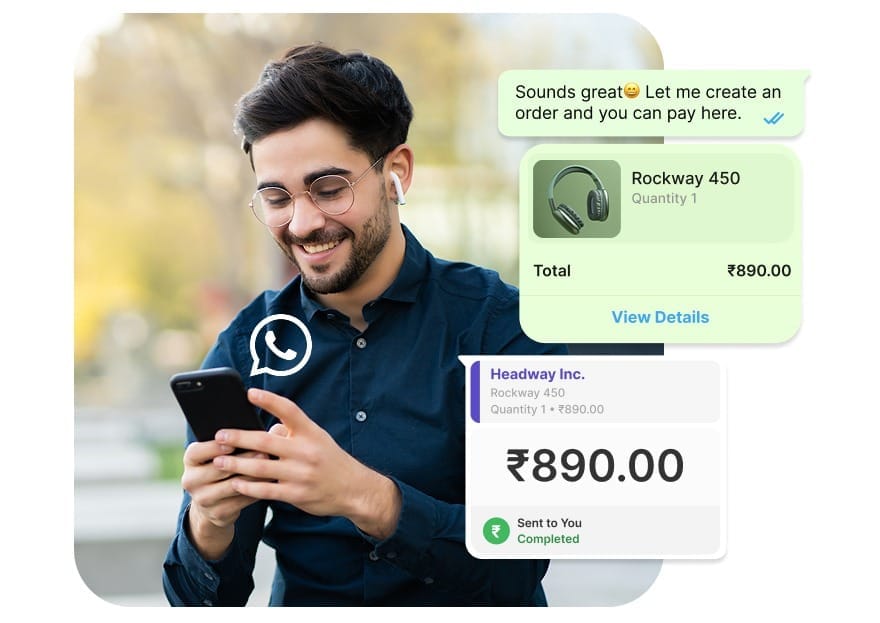
Close the loop inside the conversation: share order summaries, send a secure pay link or native flow where available, and show paid / completed status in the same thread — so customers never hunt for a checkout page.
- Less friction: payment sits next to product context and agent replies, which often lifts conversion versus “open this URL elsewhere.”
- One timeline: finance and support see the same chat history — fewer disputes about what was promised.
- Your stack: connect gateways and billing tools your region supports (e.g. partner checkouts aligned with Meta’s WhatsApp commerce paths). We map onboarding to what’s available in your market.
Illustrative example; currencies and payment methods depend on country, BSP, and Meta policies.
Conversational Commerce
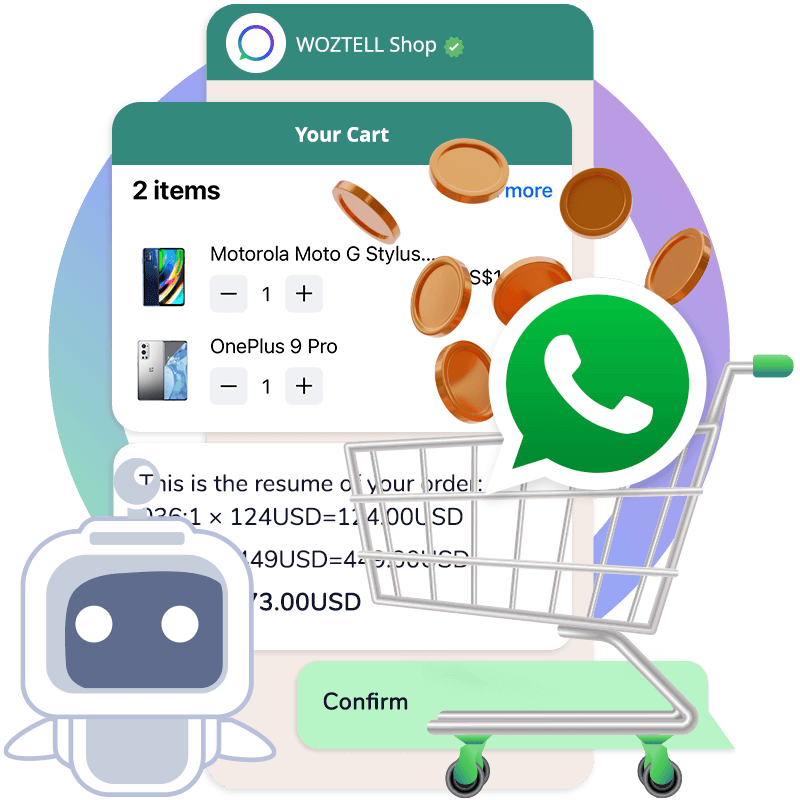
Increase your e-commerce sales with WhatsApp by moving product questions, cart updates, and checkout nudges into a channel customers already use daily. UnifiedTalk connects the “browse → ask → buy” loop in one thread.
- Recover carts: follow up on abandoned intent with helpful reminders and quick replies.
- Answer questions fast: AI agents handle FAQs (availability, delivery, policy) and escalate when needed.
- Close the loop: share order summaries and collect payments where supported — then confirm delivery and request reviews.
Illustrative example; commerce flows depend on your catalog, region, BSP, and Meta policies.
AI agent support on WhatsApp
AI agents are the first line for many chats: they resolve or triage before a human ever opens the thread. You define scope, tone, and when to hand off — so customers get speed without losing accountability.
AI support agent
Answers order status, policy, and how-to questions from FAQs, docs, and approved snippets. When the issue is sensitive or unresolved, the agent opens a ticket or assigns a human with the transcript attached.
AI sales & qualification agent
Greets inbound leads from ads or your site, asks the right questions, and scores or routes to sales. Books demos or passes hot leads to reps — same WhatsApp number, clear ownership.
Handoff, routing & guardrails
Set rules for language, business hours, and escalation. Agents stay inside approved content; supervisors see what was automated vs. human-handled. Works alongside your no-code flows for deterministic steps.
Agents apply on WhatsApp and the rest of your UnifiedTalk channels where you enable them — one training story, many entry points.
Customer support on WhatsApp
Resolve more queries on the first touch with an AI support agent plus human escalation. Keep policy, order context, and the full transcript in one thread so customers don’t repeat themselves.
- Deflect FAQs: answer “how-to”, policy, and status questions from your approved knowledge.
- Route complex cases: auto-assign to the right team or agent with context attached.
- Close the loop: mark resolved, send confirmations, and collect CSAT/feedback after support.
Illustrative example; exact capabilities depend on your WhatsApp setup, region, and Meta policies.
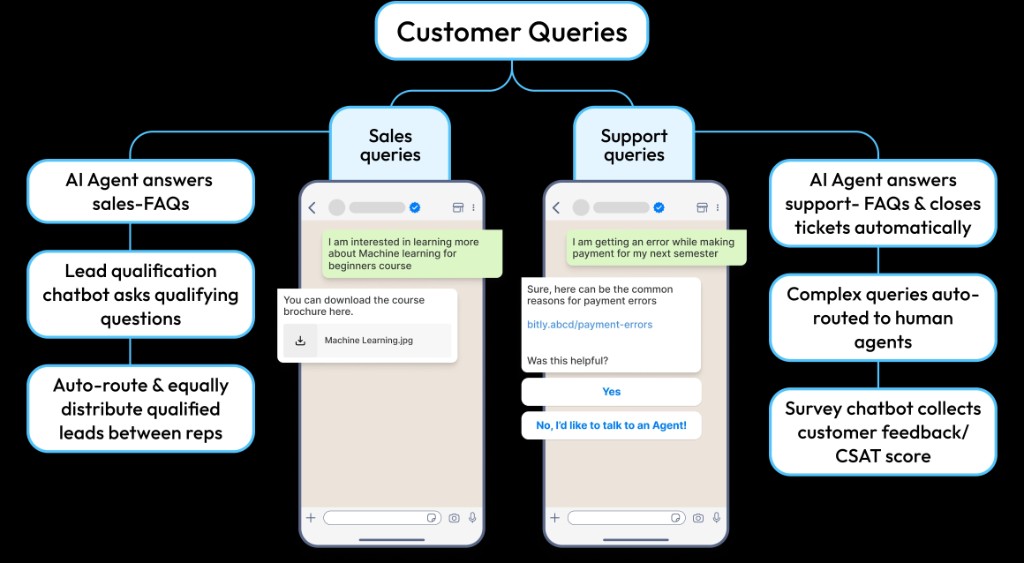
Boost efficiency with AI support agents and custom chatbots working together
Split sales and support journeys on the same WhatsApp line: AI answers FAQs, no-code bots qualify leads or run surveys, and humans take over when the conversation needs it — similar to dual-path designs used on leading conversation platforms, unified in UnifiedTalk.
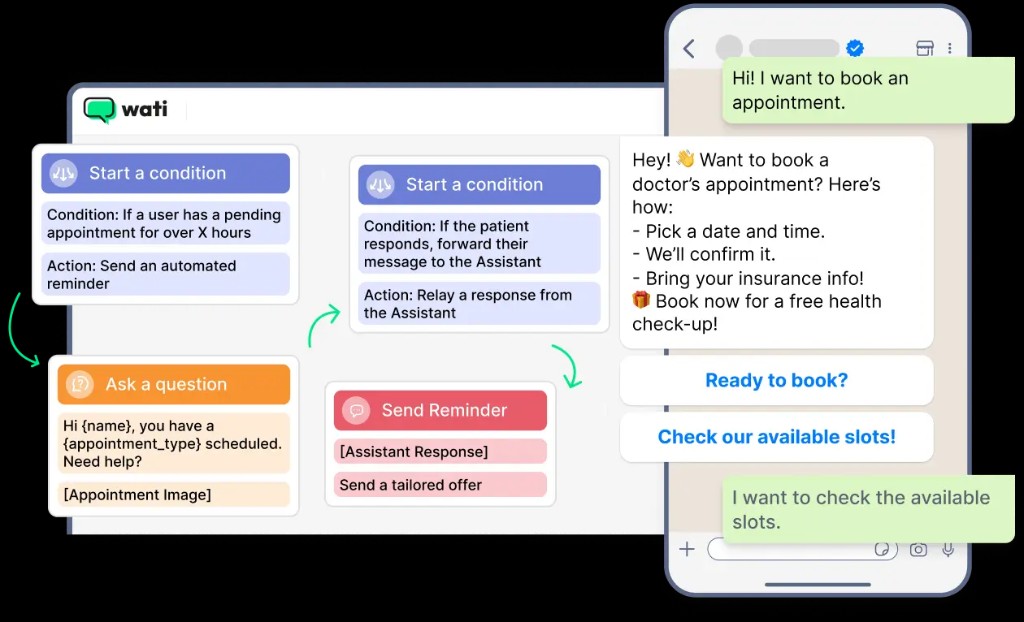
Book appointments & boost show rates
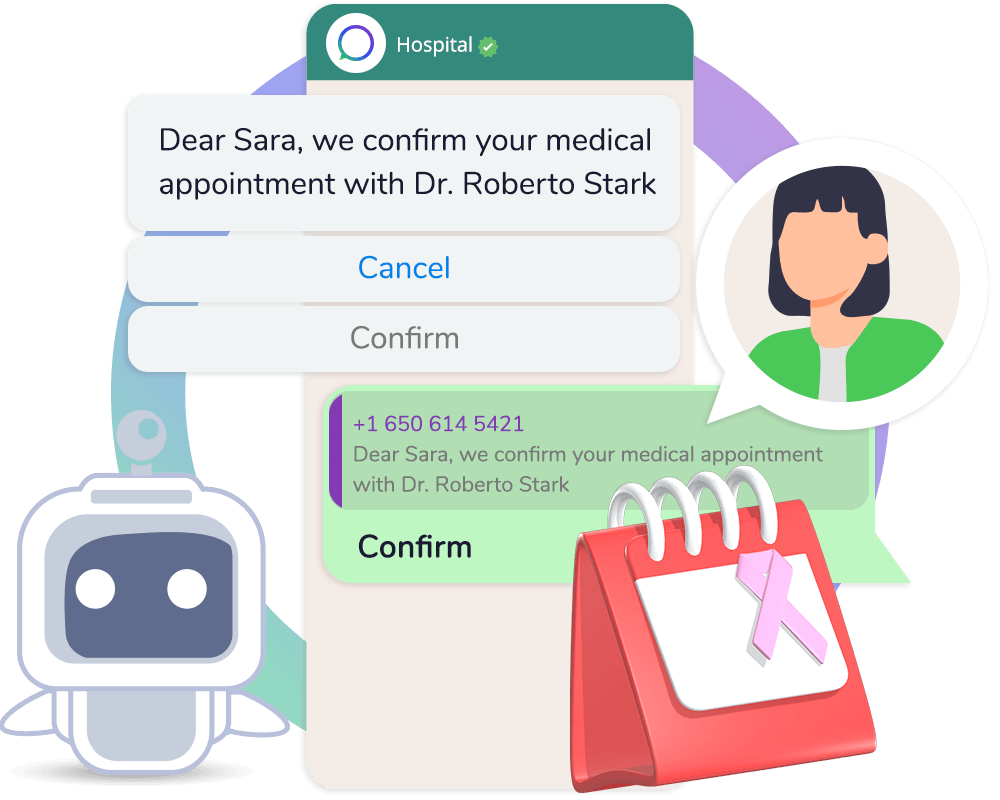
Turn WhatsApp into your scheduling lane: visual bot flows on the left, patient- or customer-friendly chat on the right. Send automated reminders when a hold is pending too long, personalize messages with name, slot, and service type, and offer quick-reply buttons so people confirm or pick a time without leaving the thread.
- Reduce no-shows: nudge users who haven’t completed booking, and follow up before the visit.
- Route intelligently: when someone replies with a question, forward to your team or assistant with full context.
- Healthcare to services: same pattern works for clinics, salons, test drives, or demos — configure steps and compliance to your industry.
Illustrative workflow; messaging and healthcare rules depend on your region and Meta policies.
Platform depth
Multi-agent
routing
Skills-based queues, supervisor visibility, and consistent macros across WhatsApp and sibling channels.
Analytics
& exports
Campaign and conversation metrics with export paths for your BI stack.
No-code
bot flows
Visual journeys for common intents; escalate with context to agents.
API &
webhooks
Wire CRM, CDP, or custom backends — WhatsApp is one endpoint in a unified messaging layer.
Omnichannel inbox
WhatsApp at the core — conversations everywhere
Start with WhatsApp, then add the channels your customers already use. UnifiedTalk keeps every thread—social, web, app, and SMS—in one timeline, so teams stop juggling single-channel WhatsApp tools.
Broadcasts, AI, payments, and team inbox on Business API paths.
You are here
One customer thread
WhatsApp, Messenger, web, app, and SMS attach to the same profile — no duplicate tickets for the same person.
Real-time handoff
Agents pick up where automation left off with full history, tags, and campaign context.
Measurable across channels
Report response time, resolution, and campaign impact in one place instead of siloed WhatsApp-only dashboards.
Plan your omnichannel rollout
Tell us which channels you run today — we’ll map WhatsApp + UnifiedTalk to your stack.
Frequently asked questions
Click a question to expand the answer.
Common questions about WhatsApp Business on UnifiedTalk: official API alignment, trials, Meta costs, send limits, and how we fit with your other channels.
-
What does UnifiedTalk do for WhatsApp?
UnifiedTalk helps you broadcast and automate on WhatsApp where policy allows, run click-to-WhatsApp style journeys from ads and your site, build bots and AI agents, use a multi-agent team inbox, show catalogs, and collect payments in chat when your market supports it — alongside Messenger, web chat, SMS, and in-app messaging in one timeline.
-
Is UnifiedTalk built on official WhatsApp Business / Meta paths?
Yes. We work with Meta’s WhatsApp Business Platform expectations: approved templates, quality and sending limits, opt-in, and conversation categories. How your number is hosted (e.g. Cloud API via a BSP) is confirmed during onboarding for your region.
-
Do you offer a free trial?
We offer a free trial so you can test the inbox, channels, and automations. Exact terms are on our pricing page and may change — your sales contact can confirm what applies to your account.
-
Is there a separate fee to “buy” the WhatsApp Business API?
UnifiedTalk does not hide API access behind a one-off “procurement” line item in the way some legacy deals did. You pay for UnifiedTalk according to your plan; Meta bills WhatsApp conversation usage separately. We clarify both during setup so finance sees the full picture.
-
How do you handle customer support?
Our team supports you over the channels we publish (e.g. email, phone, and scheduled calls) for rollout, integrations, and best practices — so you are not stuck self-serving a critical channel.
-
What does sending marketing or template messages cost?
Meta charges per conversation (category matters: marketing, utility, authentication, service). Rates and currency differ by country and change over time — always verify Meta’s current WhatsApp pricing. Replies to inbound user messages within the service window are often free under Meta’s rules; we help you model costs in the dashboard.
-
How many WhatsApp messages can we send per day?
Your throughput depends on Meta’s messaging limits and your number’s quality rating. New numbers start at a lower daily cap; limits can increase as you send volume with good deliverability and policy compliance. We advise on warm-up and list hygiene so you stay inside the rules.
-
Is UnifiedTalk only WhatsApp?
No. WhatsApp Business is a flagship channel, but the product is an omnichannel inbox with AI — same story as our homepage.
-
Can marketing and support share one Business number?
With proper routing, tags, and permissions, yes — the team inbox model. You can also split brands or regions if policy requires it.
-
How do AI agents differ from fixed chatbots?
AI agents interpret open-ended questions using your knowledge and policies, then hand off with context. Fixed flows suit menus and confirmations; most teams use both.
-
How does UnifiedTalk pricing work?
See pricing for subscription tiers. Add Meta’s WhatsApp conversation charges on top; we explain how to reconcile both.
Launch WhatsApp the right way
Get a walkthrough of broadcasts, team inbox, AI agents, and how we connect to the rest of your channels.
Book a demo View pricing